A powerful file management dashboard for Umbraco 16+ backoffice. Browse, upload, download, edit, preview, rename, and delete server files — all from within the Umbraco backoffice.




dotnet add package uTPro.Feature.FileManagerNo configuration needed — auto-registers via Umbraco IComposer. After installation, navigate to Settings → File Manager in the backoffice.
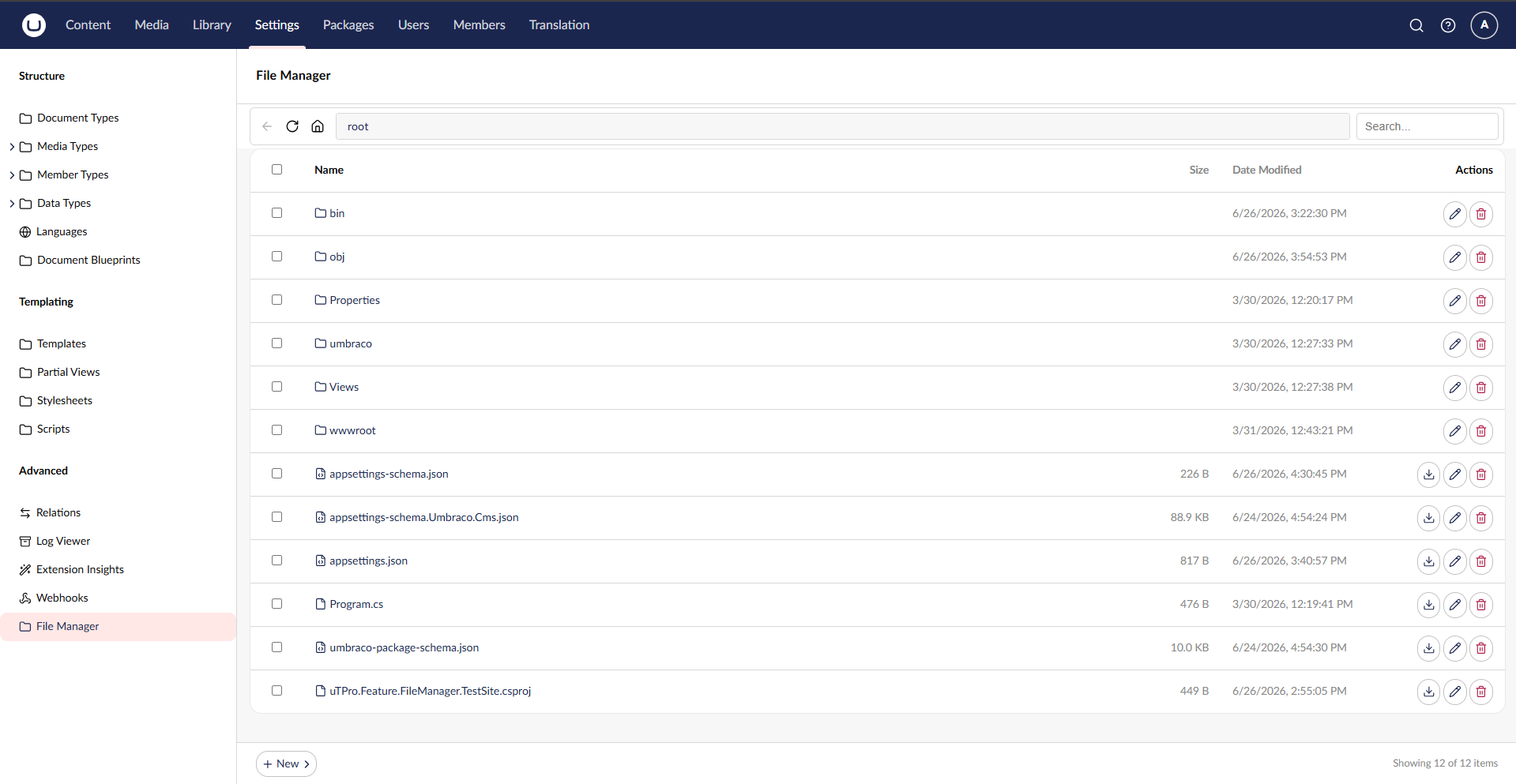
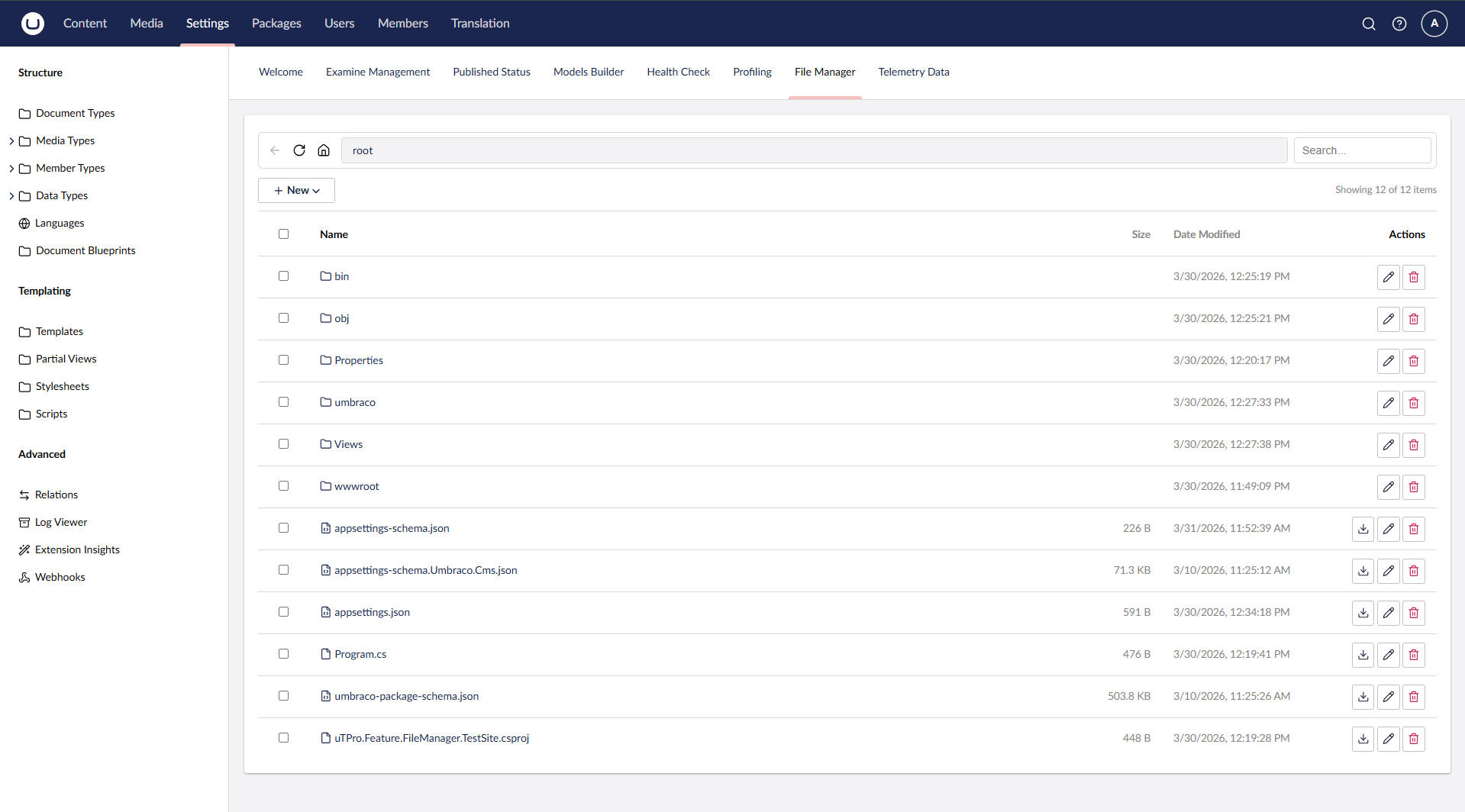
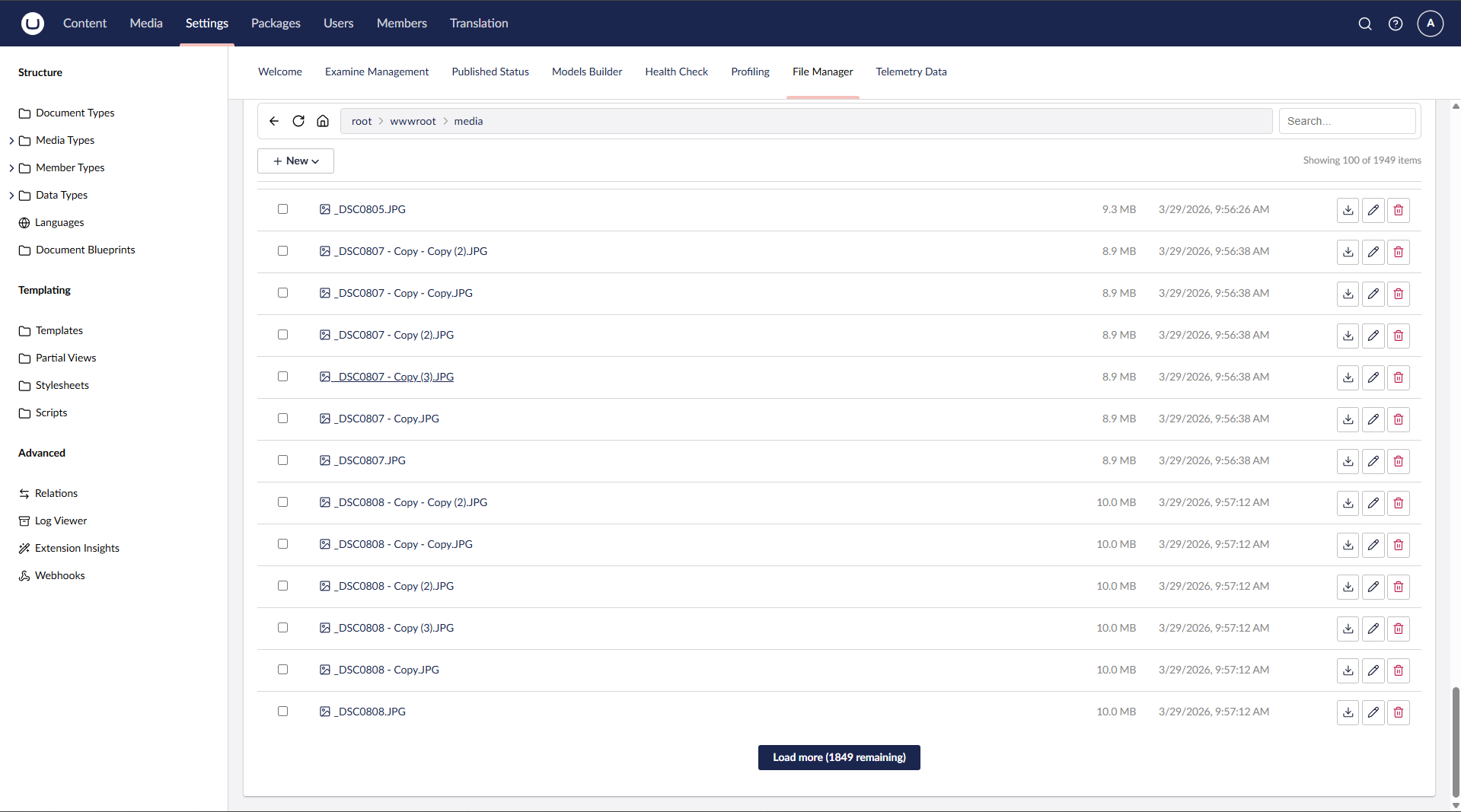
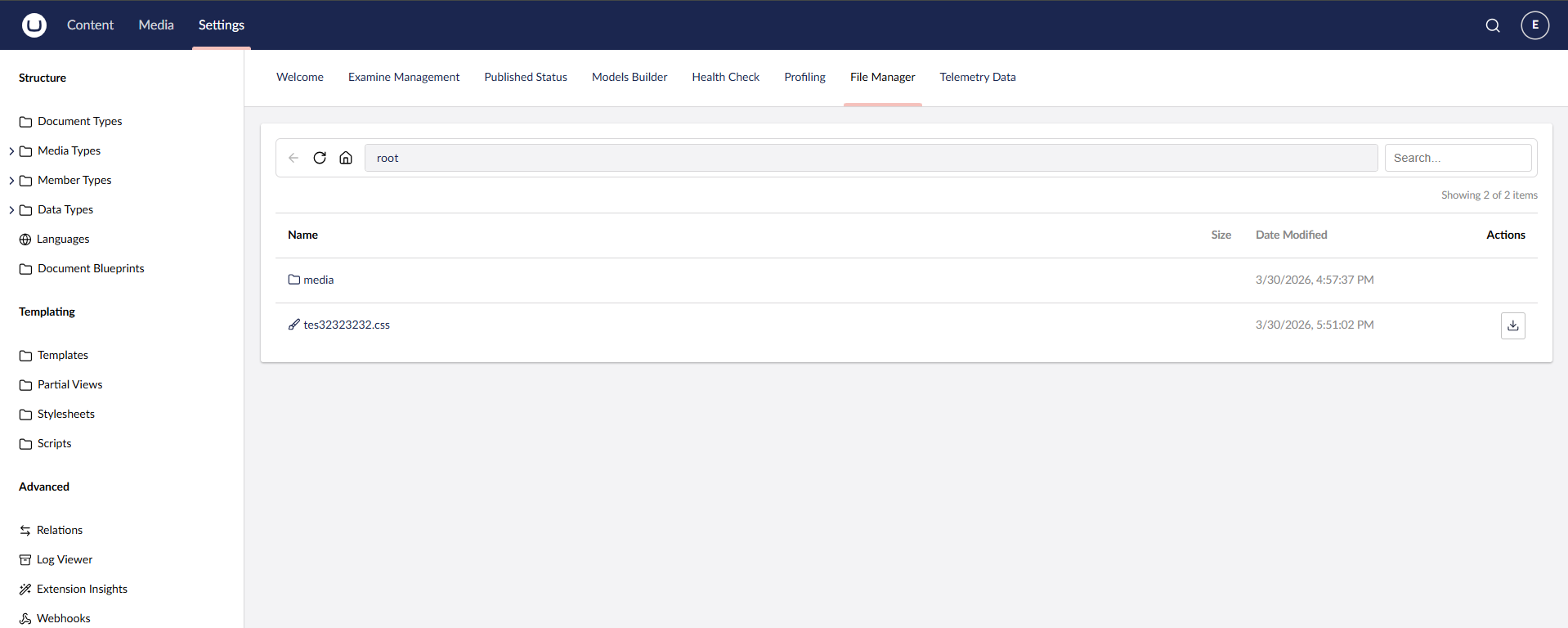
- Windows Explorer-style navigation with back, reload, and breadcrumb path bar
- Paginated file listing (100 items per page) with "Load more" for large directories
- Real-time search with debounce filtering
- URL state persistence — reload the page and return to the same folder/file
- Umbraco native icons for file types
- Upload files via button or drag & drop
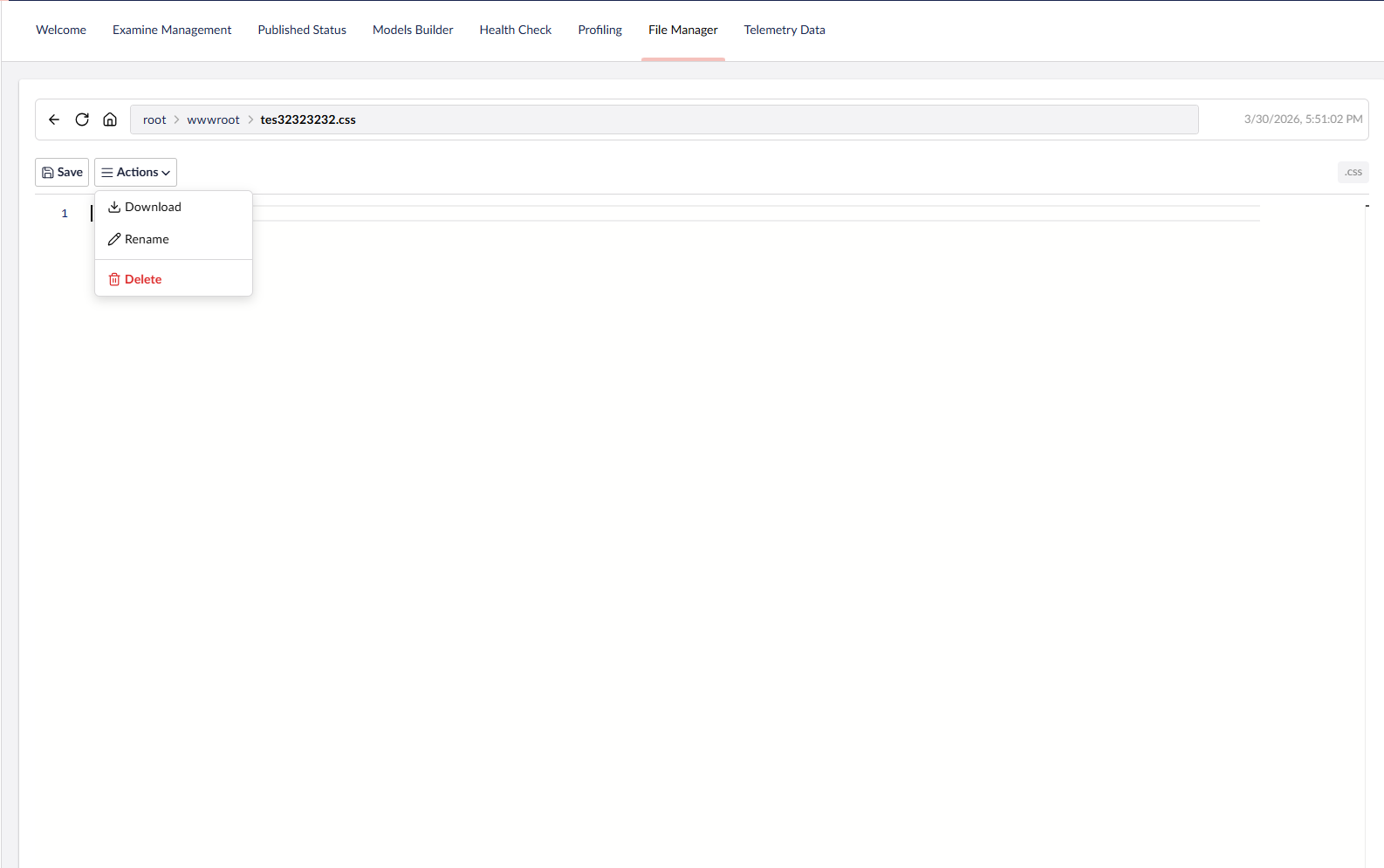
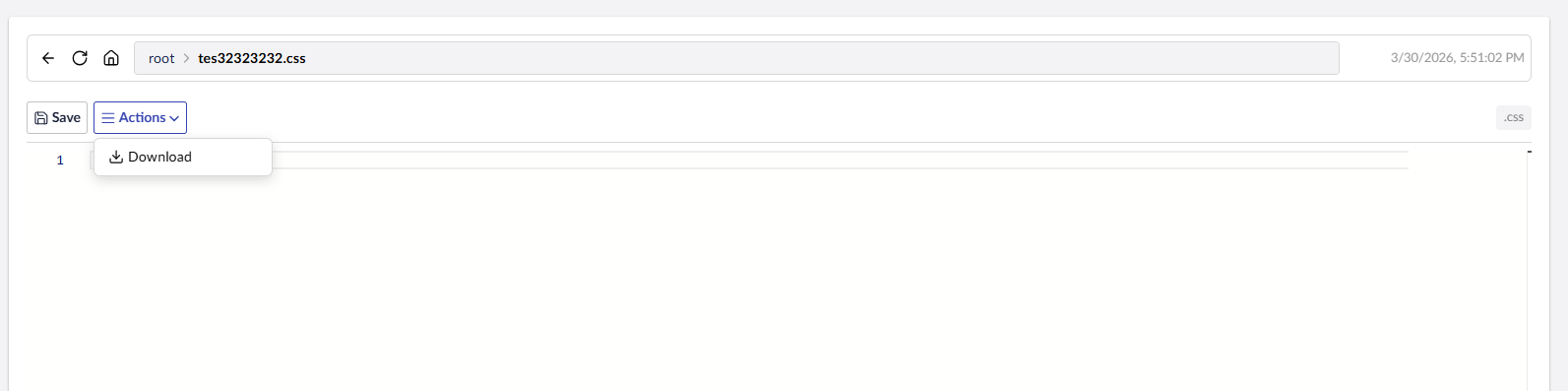
- Download files directly from the file list or file view
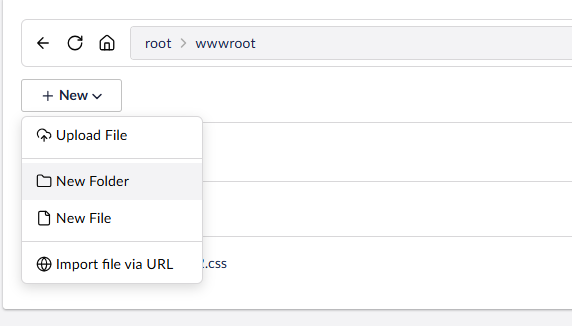
- Create new folders and empty files
- Rename files and folders (with live reload in file view)
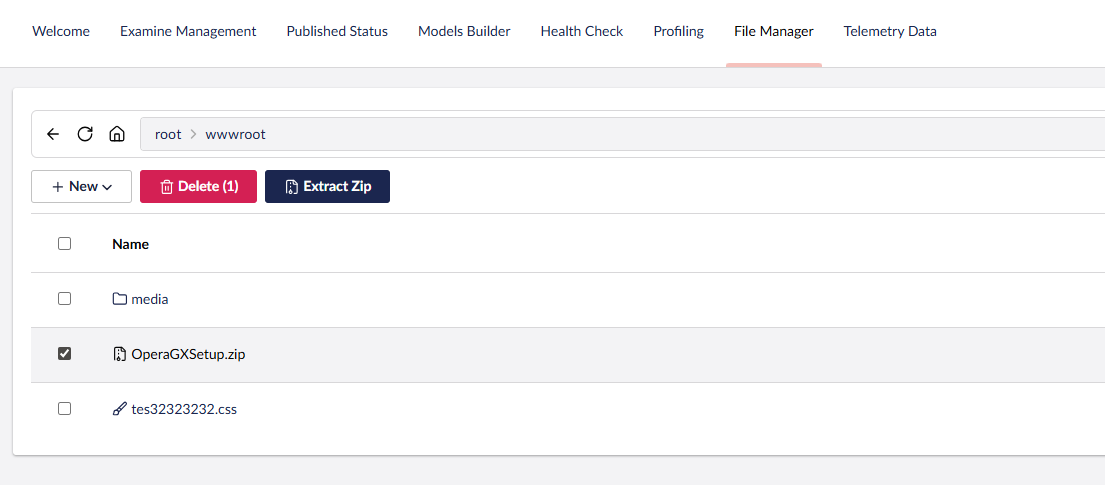
- Delete files and folders (single or bulk selection)
- Import file via URL — fetch a remote file and save it to the current folder
- Extract ZIP — select
.zipfiles and extract them in place
- Built-in Monaco Editor (via Umbraco's
umb-code-editor) with syntax highlighting - Supports: JavaScript, TypeScript, JSON, HTML, CSS, SCSS, Razor, C#, XML, YAML, Markdown, SQL, and more
- Unsaved changes detection with browser close/navigate warning
- Ctrl+S keyboard shortcut to save
- Inline preview for images (JPG, PNG, GIF, SVG, WebP, BMP, ICO)
- Video player for MP4, WebM, OGG
- Audio player for MP3, WAV, OGG
- PDF viewer via embedded iframe
- Correct MIME types for inline rendering
- Settings section access required to view the dashboard
- Admin — full access: browse entire server root (ContentRootPath), create, edit, rename, delete, upload, extract
- Settings (non-admin) — browse
wwwroot/tree only (view folder structure, check if files exist — no file actions) - Settings + Sensitive Data — browse
wwwroot/+ view/edit/download file content - Write operations (create, rename, delete, upload, extract ZIP, import URL) — Admin only
- Non-admin users are jailed to
wwwroot/— cannot accessappsettings.json,web.config, or any files outsidewwwroot - Protected files:
web.config,appsettings.json,appsettings.development.jsoncannot be modified or deleted - Path traversal protection on all endpoints
- Windows Explorer-style navigation bar (back, reload, home, breadcrumb path bar, search)
- Sticky toolbar — the navigation bar stays pinned to the top while scrolling long file lists, flush with the section header on an opaque surface
- Workspace footer actions — primary actions live in the Umbraco workspace footer for a clean, uncluttered toolbar:
- Browsing:
New ▾menu (Upload, New Folder, New File, Import via URL), bulkDelete,Extract Zip, and a live item counter - File open:
Save,Actions ▾(Download, Rename, Delete), anUnsavedbadge, plus file size and type
- Browsing:
- Footer actions respect the current user's role — non-admin users never see write actions
- Multi-select with checkbox for bulk delete and zip extract
- Responsive layout with Umbraco UI Library (UUI) components
| Umbraco | .NET | Package |
|---|---|---|
| 16.x | 9.0 | 1.x |
| 16.x | 9.0 | 2.x |
| 17.x | 10.0 | 2.x |
| 18.x | 10.0 | 2.x |
git clone https://github.com/T4VN/uTPro.Feature.FileManager.git
cd uTPro.Feature.FileManager
dotnet run --project src/uTPro.Feature.FileManager.TestSite
Navigate to https://localhost:54740/umbraco, log in, go to Settings → File Manager.
src/uTPro.Feature.FileManager/
├── Controllers/
│   └── FileManagerApiController.cs    # API endpoints with role-based access
├── Services/
│   ├── IFileManagerService.cs         # Service interface
│   ├── FileManagerService.cs          # File operations implementation
│   └── FileManagerComposer.cs         # DI registration
├── Models/
│   ├── FileItemViewModel.cs           # File/folder view model
│   ├── Requests.cs                    # API request DTOs
│   └── Results.cs                     # API response DTOs
└── wwwroot/
    ├── index.js                       # Main Lit Element dashboard view
    ├── footer.js                      # Workspace footer app (New/Save/Actions/bulk + item count)
    ├── context.js                     # Shared workspace context bridging view ↔ footer
    ├── helpers.js                     # Constants, utilities, icon mapping
    ├── styles.js                      # CSS styles
    └── umbraco-package.json           # Umbraco package manifest
MIT
T4VN — GitHub