100+ battle-tested uGUI controls for Unity — open source, community-driven, production-ready.
The controls you would build anyway, already polished and edge-case handled.
100+ controls · 21 example scenes · battle-tested since 2015 · 100% free · BSD-3-Clause




Unity UI Extensions is the flagship open-source UI control collection for Unity's uGUI system — the controls you would build anyway, already polished and edge-case handled. Gathered from many sources, combined and improved, and battle-tested by the community since 2015.
Built on the Unity UI system: Unity UI Source
For more info, here's a little introduction video for the project:
You can follow the UI Extensions team for updates and news on:
Ways to get in touch:
- Gitter Chat site for the UI Extensions project
- GitHub Discussions, if you have any questions, queries or suggestions
In this repository is a collection of extension scripts / effects and controls to enhance your Unity UI experience. These scripts have been gathered from many sources, combined and improved over time.
The majority of the scripts came from the Scripts thread on the Unity UI forum here
You can either download / fork this project to access the scripts, or you can download these pre-compiled Unity Assets, chock full of goodness for each release:
Prefer a ready-made package? Grab the pre-compiled UnityPackage for every release. We've widened the options to contribute to the project too.
I will still stress however, contribution is optional. The assets / code will always remain FREE
 |
 |
|---|---|
| Grab it on itch.io | Support via Patreon |
Still available to download on the GitHub site if you prefer
To view previous releases, visit the release archive
This is the uGUI package (
com.unity.uiextensions), for Unity's established UI system. Building with Unity 6's modern runtime UI? Meet its companion:UI Toolkit Extensions → — a growing library of controls, components and utilities for the UI Toolkit solution.
If you wish to further support the Unity UI Extensions project itself, then you can either subsidise your downloads above, or use the links below.
All funds go to support the project, no matter the amount. Donations in code are also extremely welcome.
 |
 |
|---|---|
(PayPal account not required and you can remain anonymous if you wish)
To get started with the project, here's a little guide:
The V3 relaunch brings full Unity 6 support, a fresh coat of paint, and the start of a two-package ecosystem.
- Unity 6 ready — the whole library verified and updated for Unity 6, with legacy dependencies cleared out.
- New controls — GridRawImage, UI Knob 2, UI Segmented Circle and a UI Graphic Selector join the collection.
- Battle-hardened — fixes across Reorderable List, Scroll Snap, Infinite Scroll, Flow Layout Group, UI Particle System and more.
- Sharper UILineConnector — pivot reference points, closing lines and smarter point-array maths.
📓 Read the full, detailed Release Notes.
Looking for previous versions? The complete history lives on the Release Notes page.
We recommend the UPM delivery method. If you are using the Unity asset, there should be no issues updating — but if you hit a problem, just delete the old Unity-UI-Extensions folder and import the asset fresh.
Upgrading from Unity 2019 or earlier? Text-based components were replaced with
TextMeshProequivalents when Unity deprecated the legacyTextcomponent. See the deprecation notice for details. New projects on 2022+ are unaffected.
There are 100+ extension controls / effects and other utilities in the project which are listed on the following page:
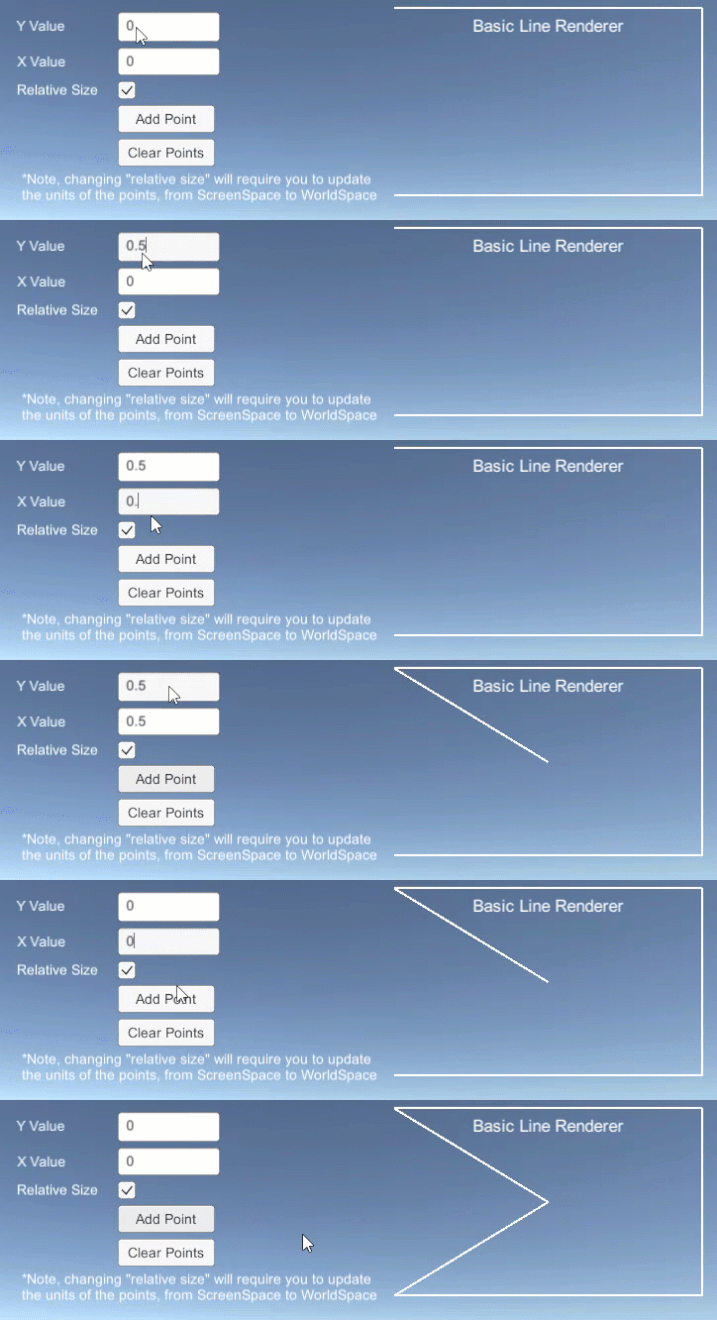
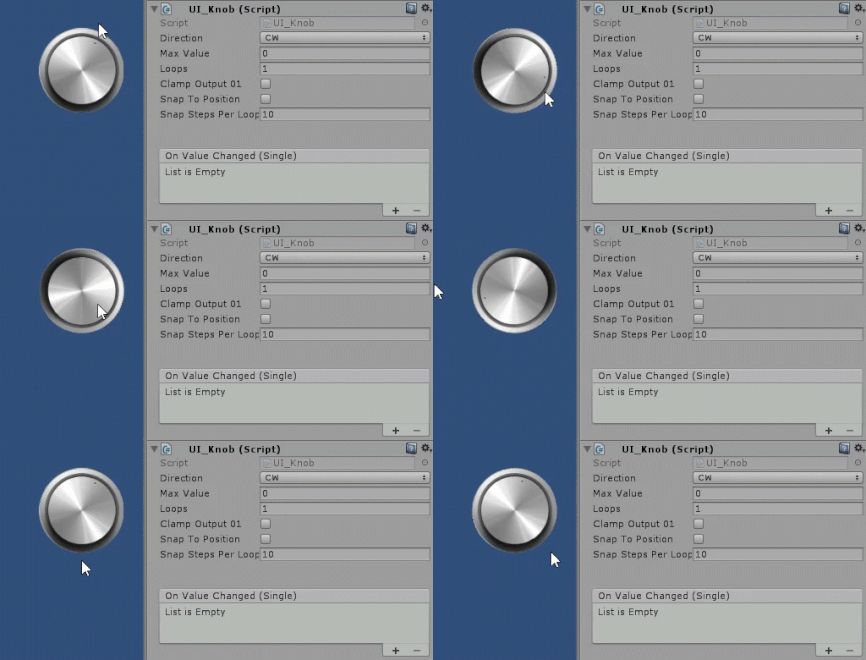
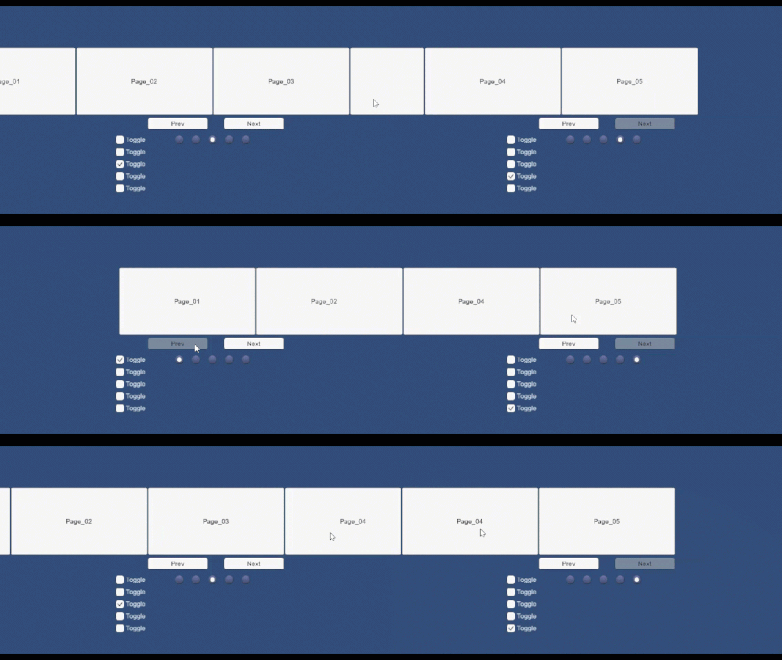
UI Line Renderer UI Knob Scroll Snap
| Accordion | ColorPicker | Selection Box | UI Flippable | ComboBox |
|---|---|---|---|---|
| AutoComplete ComboBox | DropDown List | BoundToolTip | UIWindowBase | UI Knob |
| TextPic | Input Focus | Box Slider | Cooldown Button | Segmented Control |
| Stepper | Range Slider | Radial Slider | MultiTouch Scroll Rect | MinMax SLider |
| UILineRenderer | UILineTextureRenderer | UICircle | DiamondGraph | UICornerCut |
|---|---|---|---|---|
| UIPolygon | UISquircle |
| Horizontal Scroll Snap | Vertical Scroll Snap | Flow Layout Group | Radial Layout | Tile Size Fitter |
|---|---|---|---|---|
| Scroll Snap (alt implementation) | Reorderable List | UI Vertical Scroller | Curved Layout | Table Layout |
| FancyScrollView | Card UI | Scroll Position Controller (obsolete) | Content Scroll Snap Horizontal | Scroller |
| ResizePanel | RescalePanel | RescaleDragPanel |
| Best Fit Outline | Curved Text | Gradient | Gradient2 | Letter Spacing |
|---|---|---|---|---|
| NicerOutline | RaycastMask | UIFlippable | UIImageCrop | SoftAlphaMask |
| CylinderText | UIParticleSystem | CurlyUI | Shine Effect | Shader Effects |
Text Effects are not supported with TextMeshPro due to its architecture, try using the native TextMeshPro effects instead.
| ReturnKeyTrigger | TabNavigation | uGUITools | ScrollRectTweener | ScrollRectLinker |
|---|---|---|---|---|
| ScrollRectEx | UI_InfiniteScroll | UI_ScrollRectOcclusion | UIScrollToSelection | UISelectableExtension |
| switchToRectTransform | ScrollConflictManager | CLFZ2 (Encryption) | DragCorrector | PPIViewer |
| UI_TweenScale | UI_MagneticInfiniteScroll | UI_ScrollRectOcclusion | NonDrawingGraphic | |
| UILineConnector | ||||
| UIHighlightable | Menu Manager | Pagination Manager |
More to come
The recommended way to add the Unity UI Extensions project to your solution is to use the Unity package Manager. Simply use the Unity Package Manager to reference the project to install it
New for 2020, we have added OpenUPM support and the package can be installed using the following OpenUPM CLI command:
`openupm add com.unity.uiextensions`
For more details on using OpenUPM CLI, check the docs here.
- Unity Package Manager - manual
Alternatively, you can also add the package manually through the Unity package manager using the scope com.unity.uiextensions, see the Unity Package Manager docs for more information.
- Unity 2018 or lower The pre-compiled Unity assets are the only solution for Unity 2018 or earlier due to the changes in the Unity UI framework in Unity made for 2019. Either clone / download this repository to your machine and then copy the scripts in, or use the pre-packaged .UnityPackage for your version of Unity and import it as a custom package in to your project.
Got a script you want added? Then just fork the GitHub repository and submit a PR. All contributions accepted (including fixes)
Just ensure:
- The header of the script should match the standard used in all scripts.
- The script uses the Unity.UI.Extensions namespace so they do not affect any other developments.
- (optional) Add Component and Editor options where possible. (editor options are in the Editor\UIExtensionsMenuOptions.cs file)
All scripts conform to the BSD-3-Clause licence and are free to use / distribute. See the LICENSE file for more information.
All these scripts were put together for my latest book Unity3D UI Essentials Check out the page on my blog for more details and learn all about the inner workings of the new Unity UI System.
As this repo was created to support my new Unity UI Title "Unity 3D UI Essentials", in the downloads section you will find two custom assets (SpaceShip-DemoScene-Start.unitypackage and RollABallSample-Start.unitypackage). These are just here as starter scenes for doing UI tasks in the book.
I will add more sample scenes for the UI examples in this repository and detail them above over time.
Please see the full downloads list for all previous releases and their corresponding download links.

